Partner Booking Portal
Reducing booking friction by 73% through clearer workflows and communication systems.
My Role
UX Designer
Timeline
12 weeks
Users
Inbound & Outbound Tour Coordinators
Company
Vancouver Royal Tours:
Tour operator serving the Canadian Rockies & Lower Mainland
Context
Partner tour bookings relied on fragmented email workflows and manual data entry.
Problem
Inconsistent requests created miscommunication, repeated follow-ups, and slow processing.
Solution
Partner Portal
Standardized booking inputs to reduce ambiguity and manual work.
Impact
15 → 4 min
Avg handling time
73% faster processing
15->7 processing steps
Problem
How Booking Workflow Worked Before
Problem
The workflow process was email-based, unstructured and manual.
Workflow Before
Repeat for missing or unclear information
Requests
Emails, attachments, and inconsistent terminology.
Interpret
Coordinators manually infer missing context.
Clarify
Back-and-forth emails delay processing.
Re-enter
Data manually entered into ERP and spreadsheets.
Process
Availability, invoicing, and partner communication.
Operational Impact
Manual interpretation
Frequent clarification loops
Delayed processing
Research: Contextual Inquiries
Observing to Validate
To validate whether the issue extended beyond my own experience, I observed how coordinators processed real booking requests.
Key Findings
Workarounds became normalized
Booking information was fragmented across emails and attachments
Staff relied heavily on memory and manual interpretation
Fear of mistakes slowed decision-making
Participants
2 inbound coordinators
1 outbound agent (proxy for partners)
Key Insight
The system relied on people to structure messy information instead of supporting them with clear workflows.
Solution Brainstorming
From Options to Impact
Problem
“Internal teams manually rebuilt bookings due to inconsistent partner inputs.”
Explored Directions
Google Forms
Faster to launch
Lower cost
Limited scalability
Partner Portal
Structured inputs
Centralized workflow
Scalable foundation
CHOSEN SOLUTION
Final Direction
Chose the Partner Portal to solve the issue at the source through structured data and centralized workflows.
Flows + Information Architecture
Designing the Workflow System
Since the core issue was workflow inefficiency, I designed two connected flows:
Designed two connected workflows to ensure structured input and consistent processing.
Requesting a booking
(Partner side)
Partner Portal
Review and processing a booking
(Internal side)
Requesting a booking (Partner side)
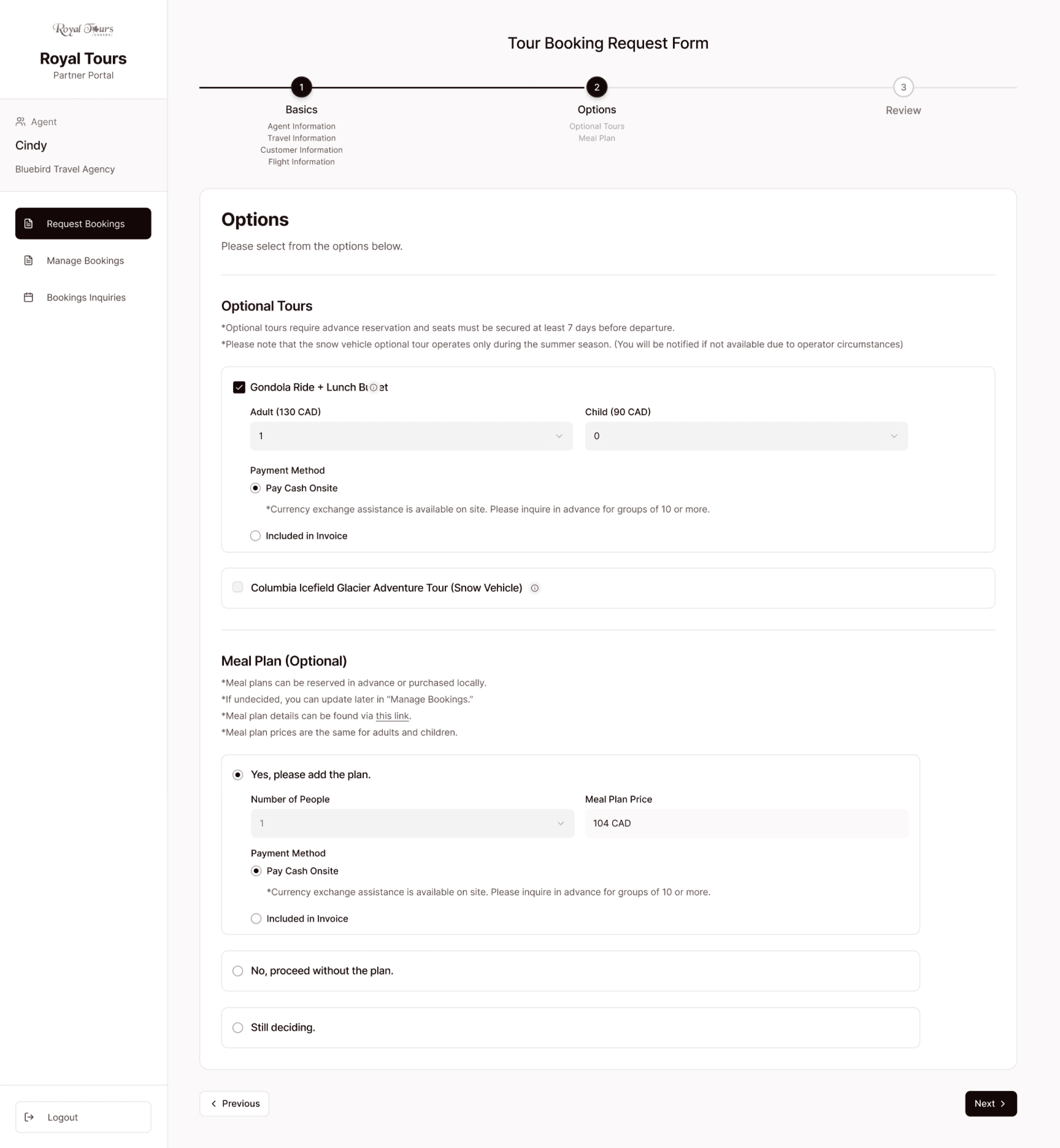
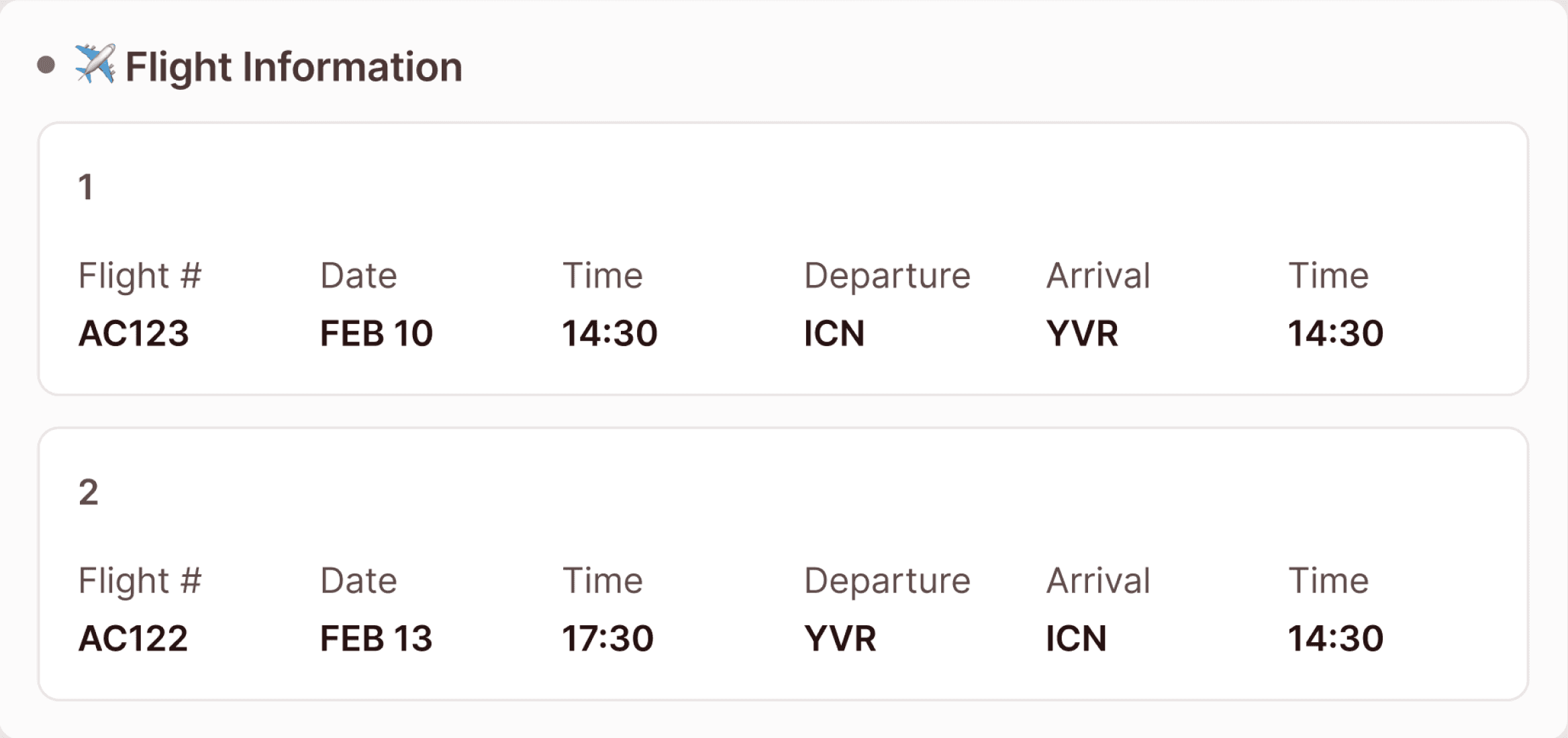
Different partner regions introduced varying pricing, inclusions, and payment expectations. I focused on defining a complete and accurate logic for one partner type first.
1
Inputs & Constraints
Partner Type
Different partner regions = different pricing, inclusions, and payment expectations
📍 BC Based
🌍 Outside BC
🇺🇸 US Based
🇰🇷 Korea Based
2
Form Logic System
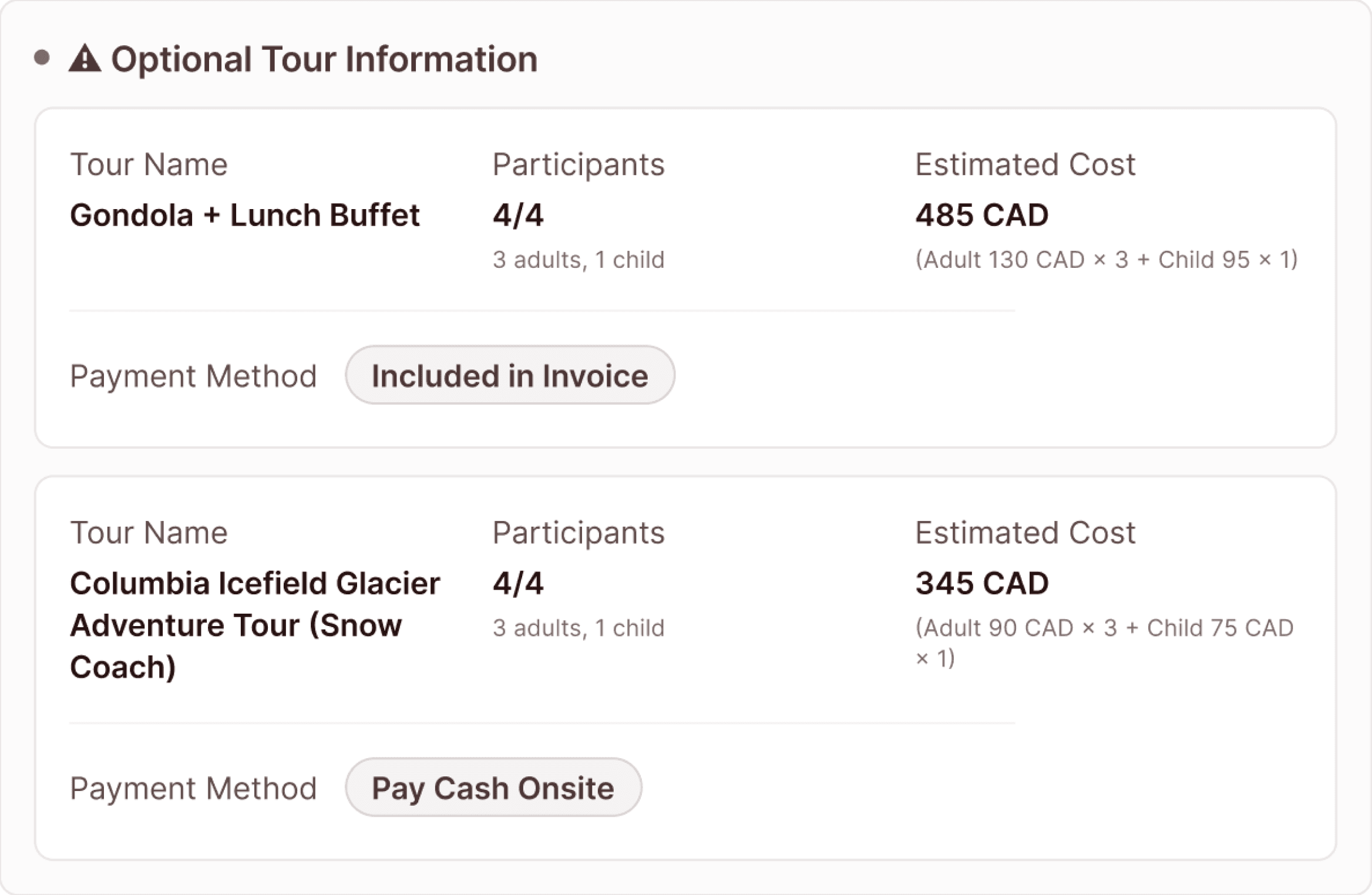
Conditional Add-ons
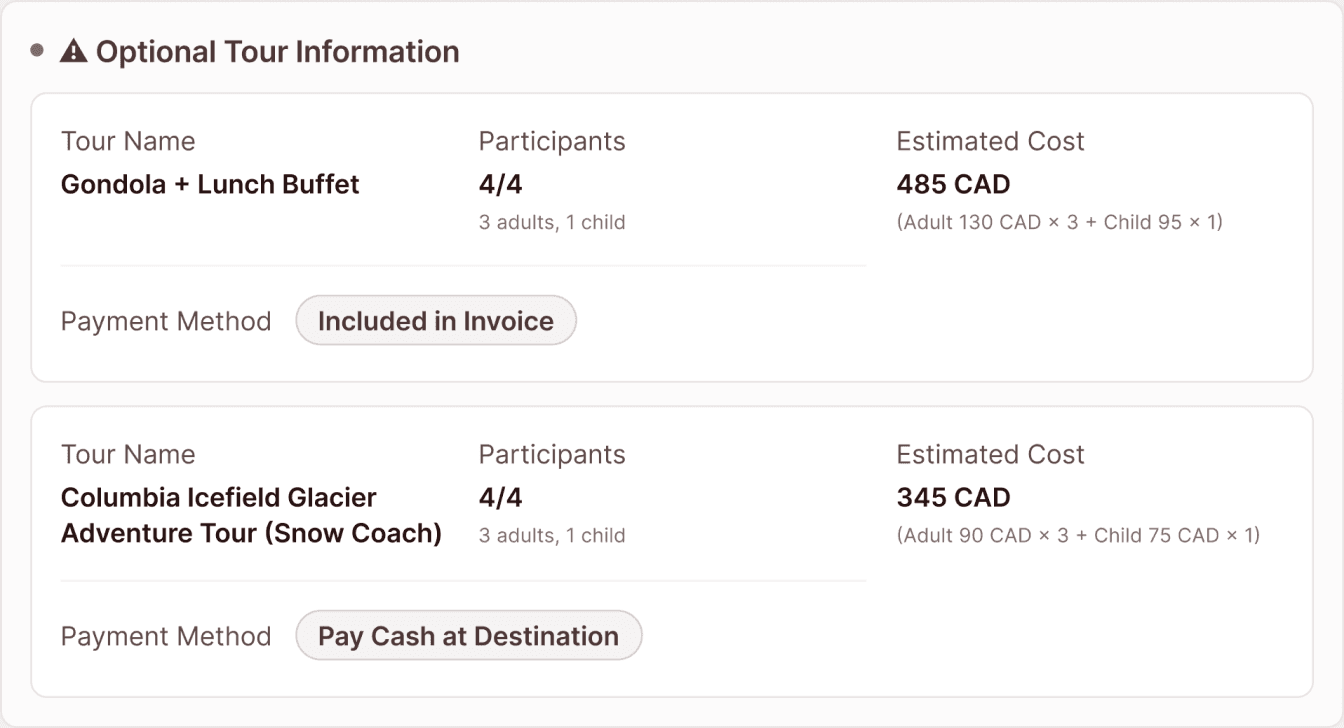
🚠 Gondola & Lunch
🍽️ Meal Plan
🚍 Snow Coach
Conditional Add-ons
Optional services introduced nested logic increasing form complexity
🚠 Gondola & Lunch
Yes / No / Undecided
# of people
Payment method
Include in invoice
Pay cash onsite
Reviewing and processing a booking (Internal side)
In this flow, I focused on cutting down the amount of steps required to review and approve a request as shown below.
Old workflow: Review Booking Request
BEFORE
Total # of steps: 15
AFTER
New workflow: Review Booking Request
Total # of steps: 7
Rapid Prototyping & Iteration
Fleshing out Designs
Rapid Prototyping Workflow
I used AI-assisted prototyping tools to rapidly explore layout directions and interaction ideas. Generated ideas were then polished and iterated.
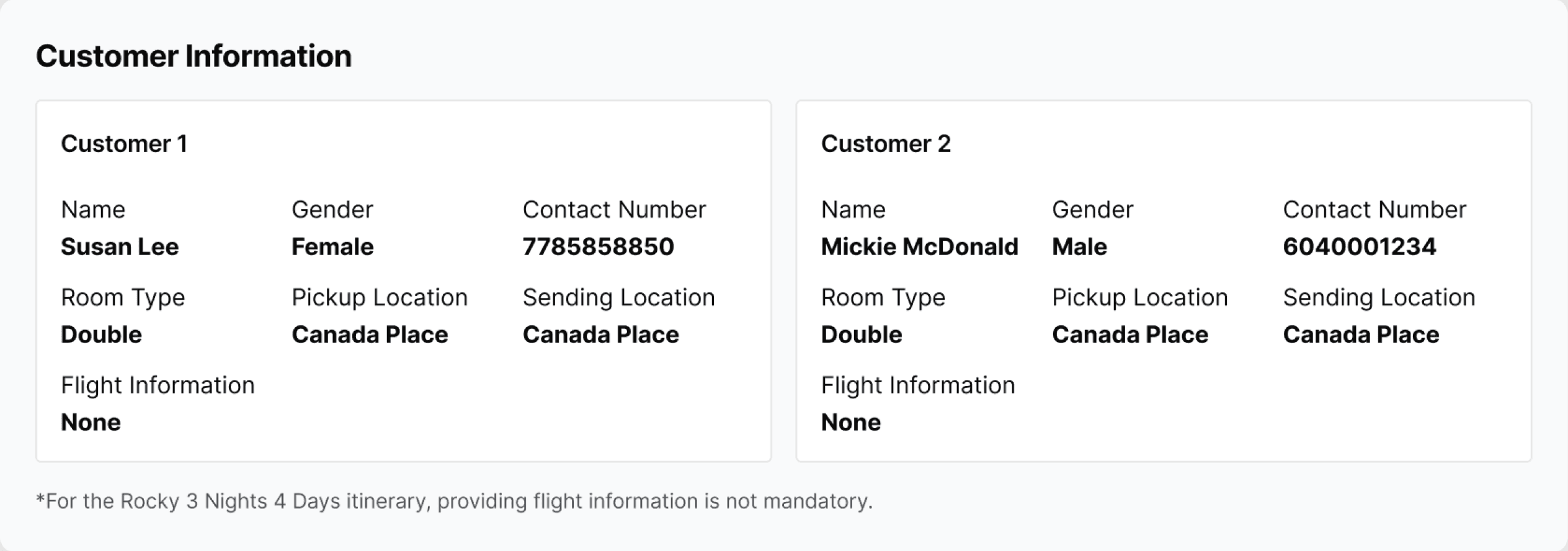
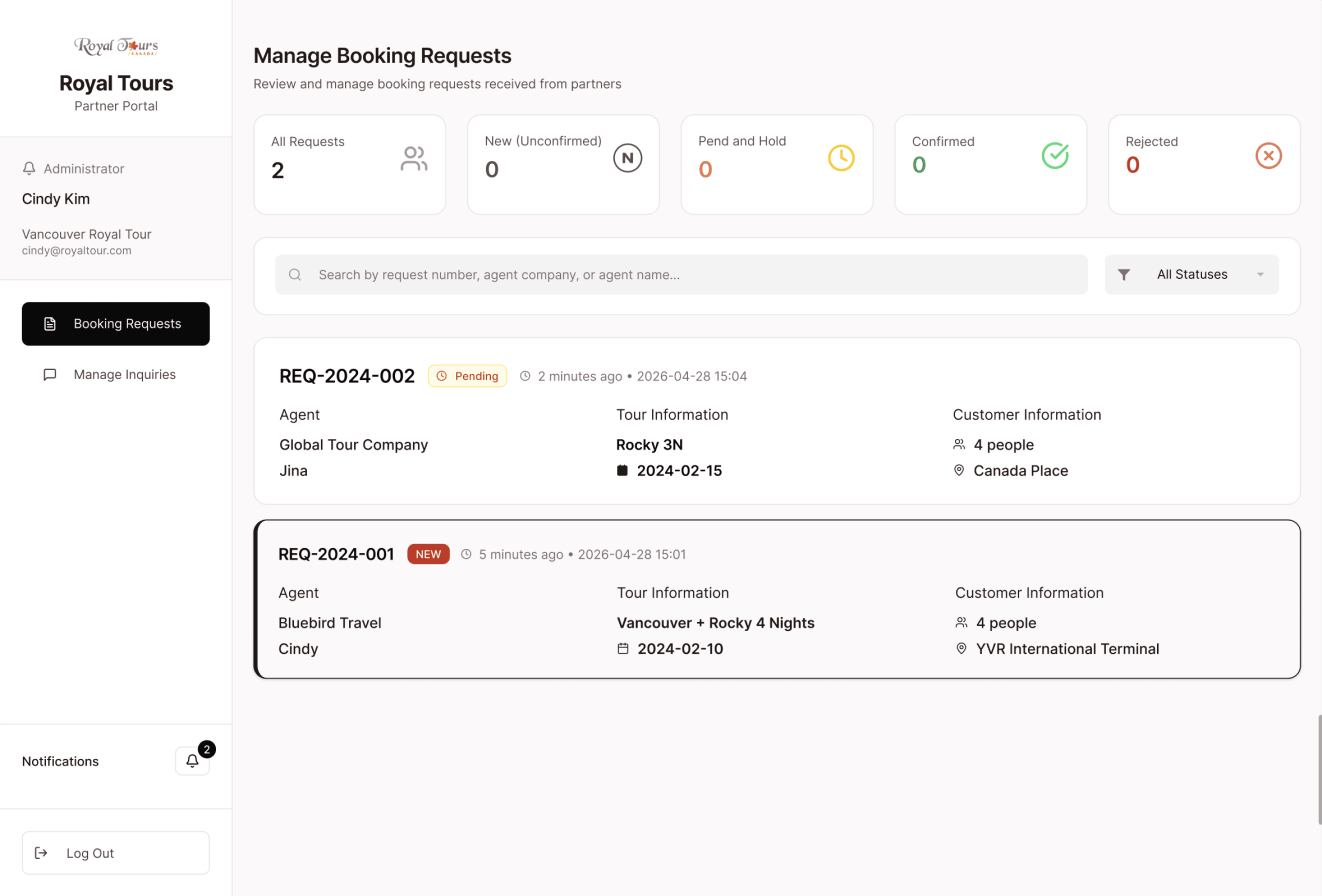
Making Key Information Easier to Scan
BEFORE
AFTER
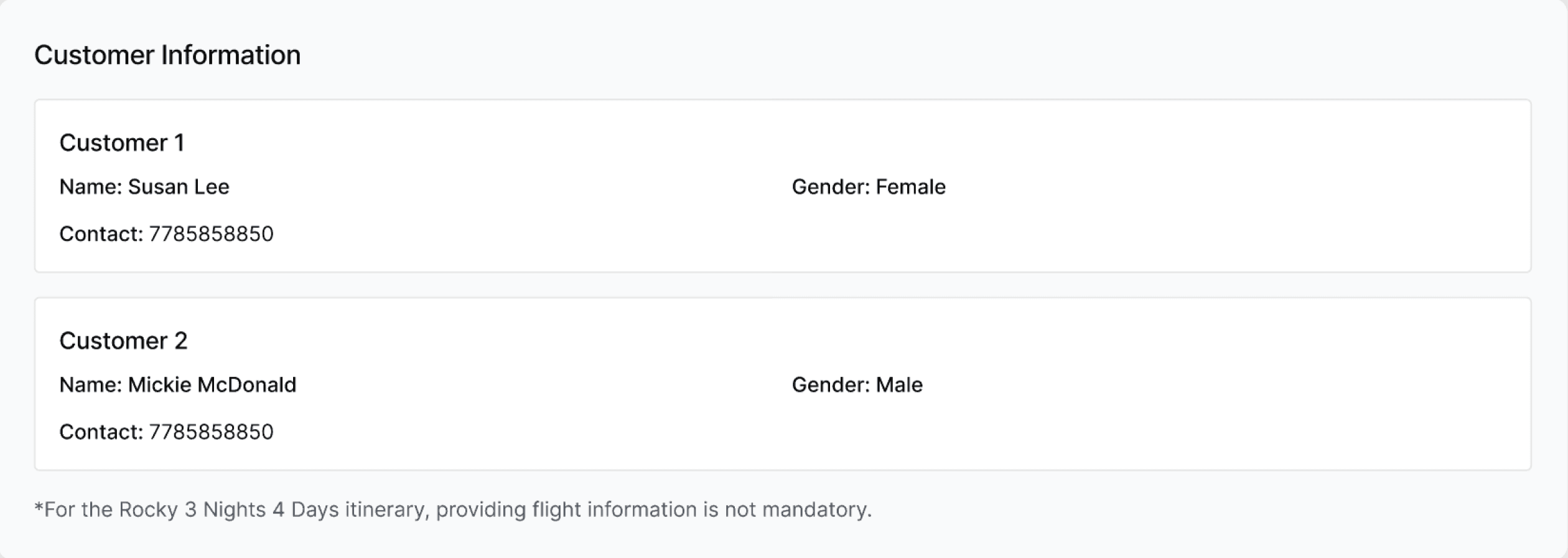
Why this change?
Users struggled to quickly identify key information due to poor hierarchy.
What changed?
Introduced clearer grouping, spacing, and emphasis on key fields.
Testing and Iteration
Adding Layers with Usability
User Testing
From the moderated usability tests that were conducted with 3 internal users (tour coordinators), here are the 2 main problems that surfaced:
1
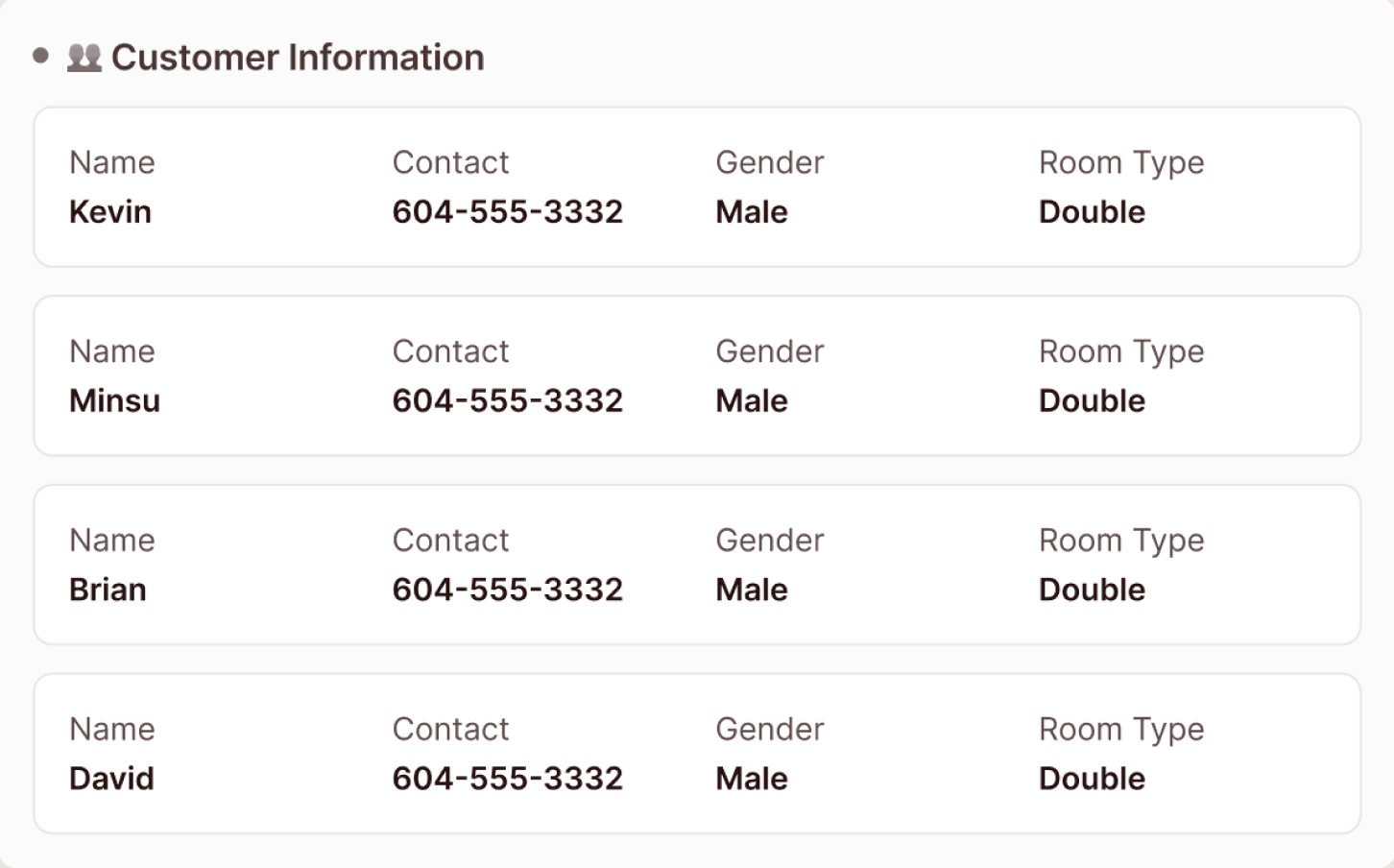
Users were unsure what "Room Type: Double" meant.
Participant 1 & 3
Does ‘Double’ mean
one bed or just two people?”
2
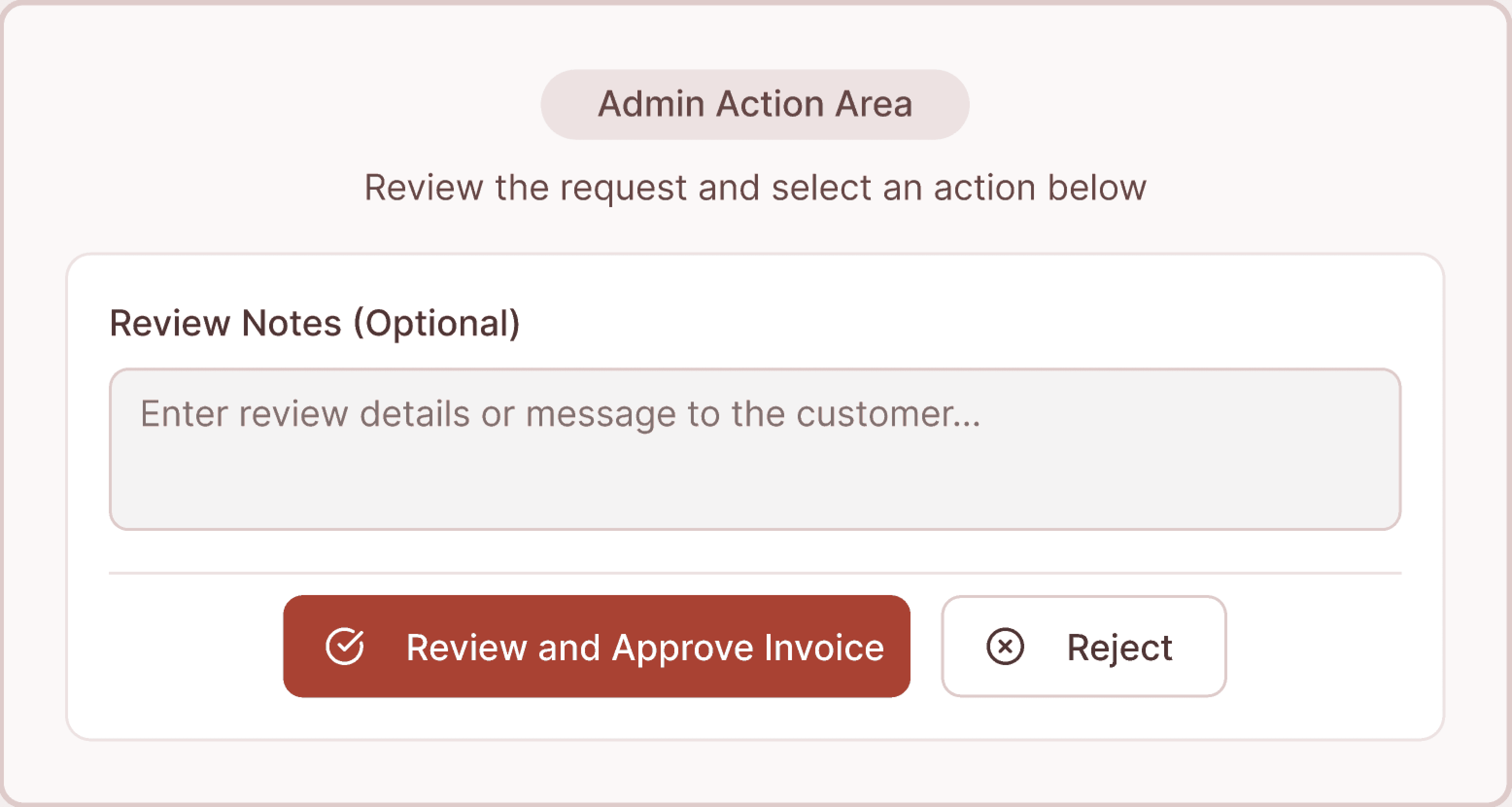
There was no action to 'Send a message and hold request'
Participant 2 & 3
I’d probably ask them first.. but what do I click here?”
Iterations
Based on the testing findings above, I iterated on key pain points to better align the system with real operational workflows.
1
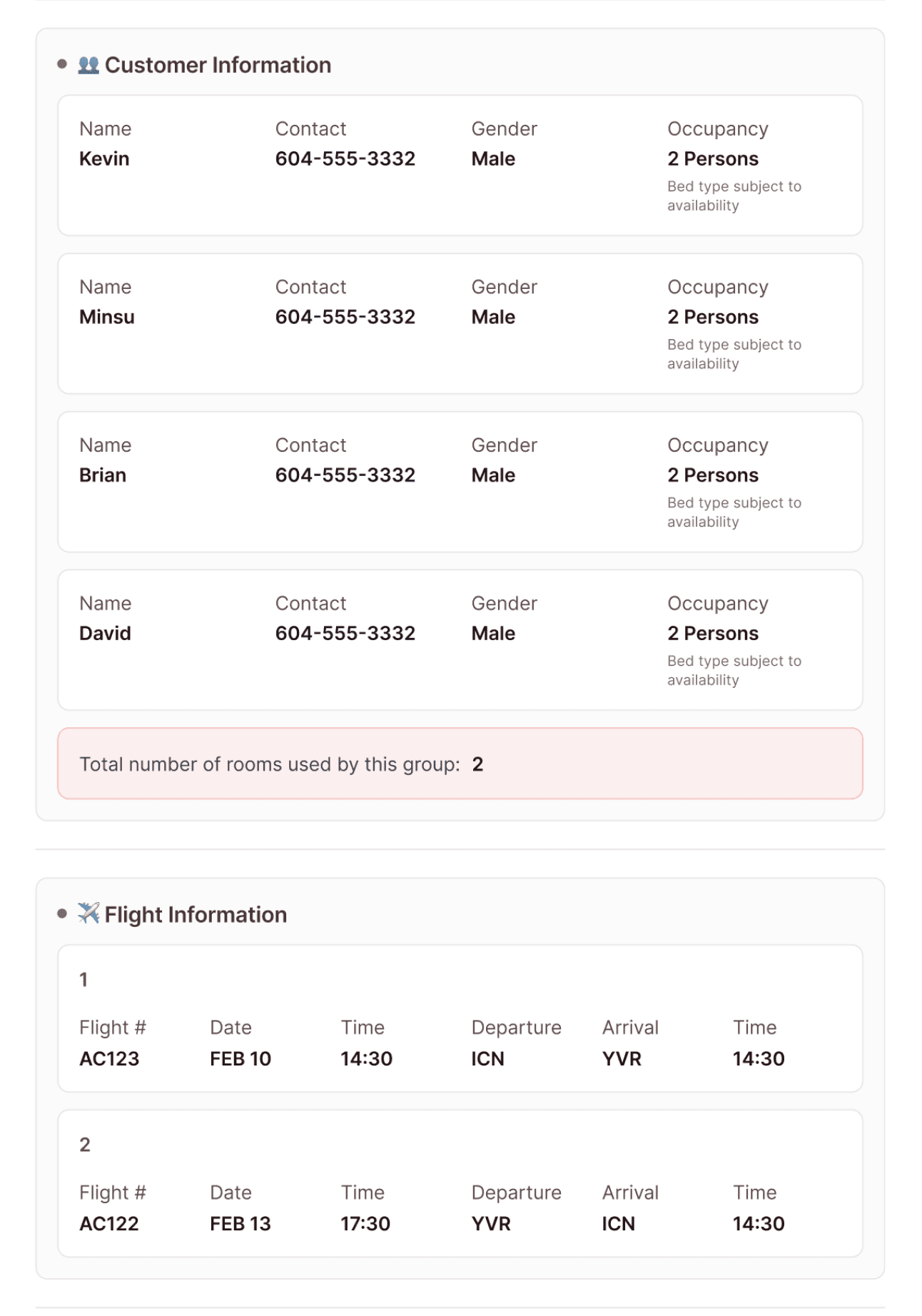
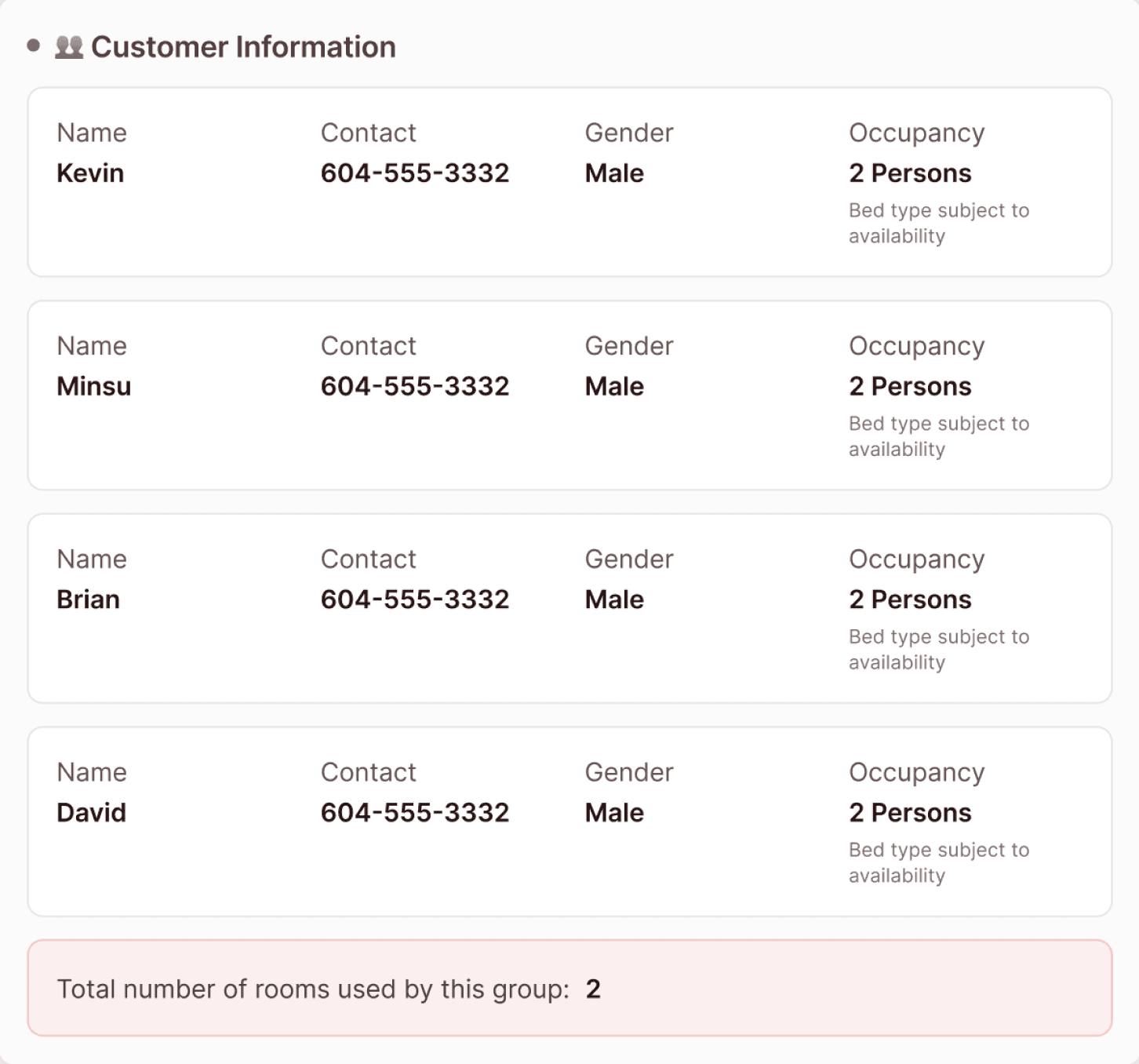
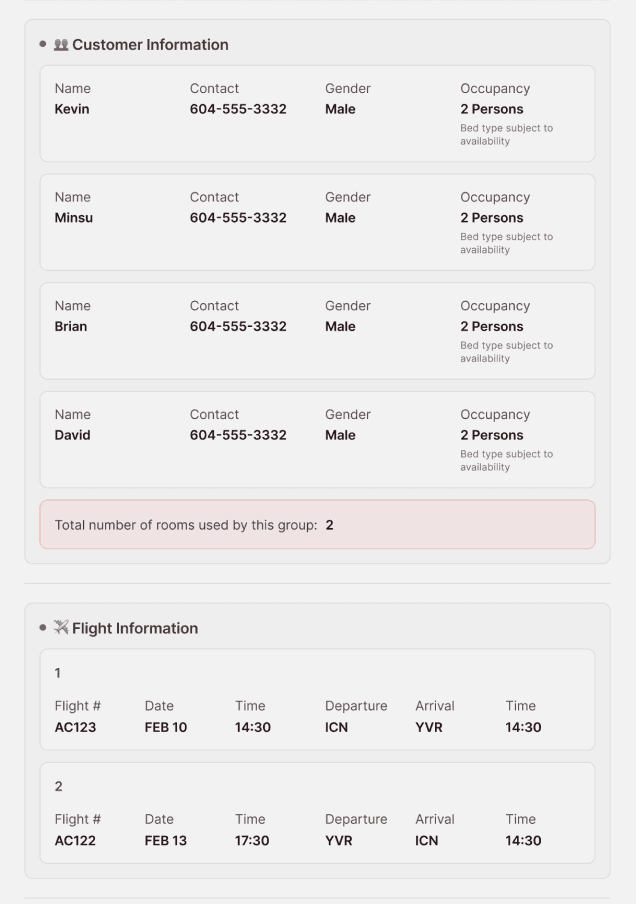
Clarified Room Information & Added Room Summary
BEFORE
AFTER
Why this change?
“Room Type” was interpreted inconsistently (bed vs. occupancy)
What changed?
Replaced 'Room Type' → 'Occupancy'
Added helper text (bed not guaranteed)
Added total room summary
2
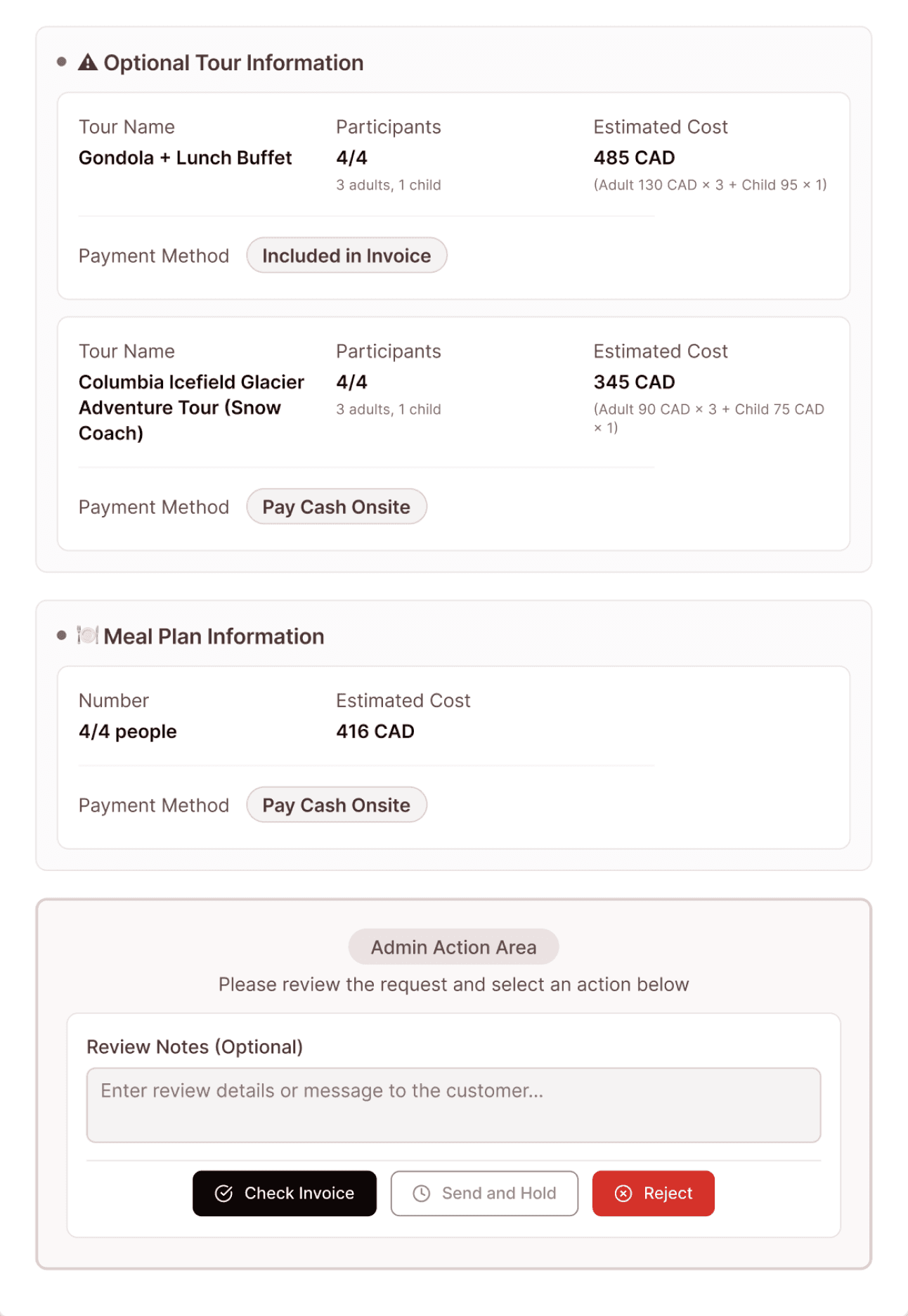
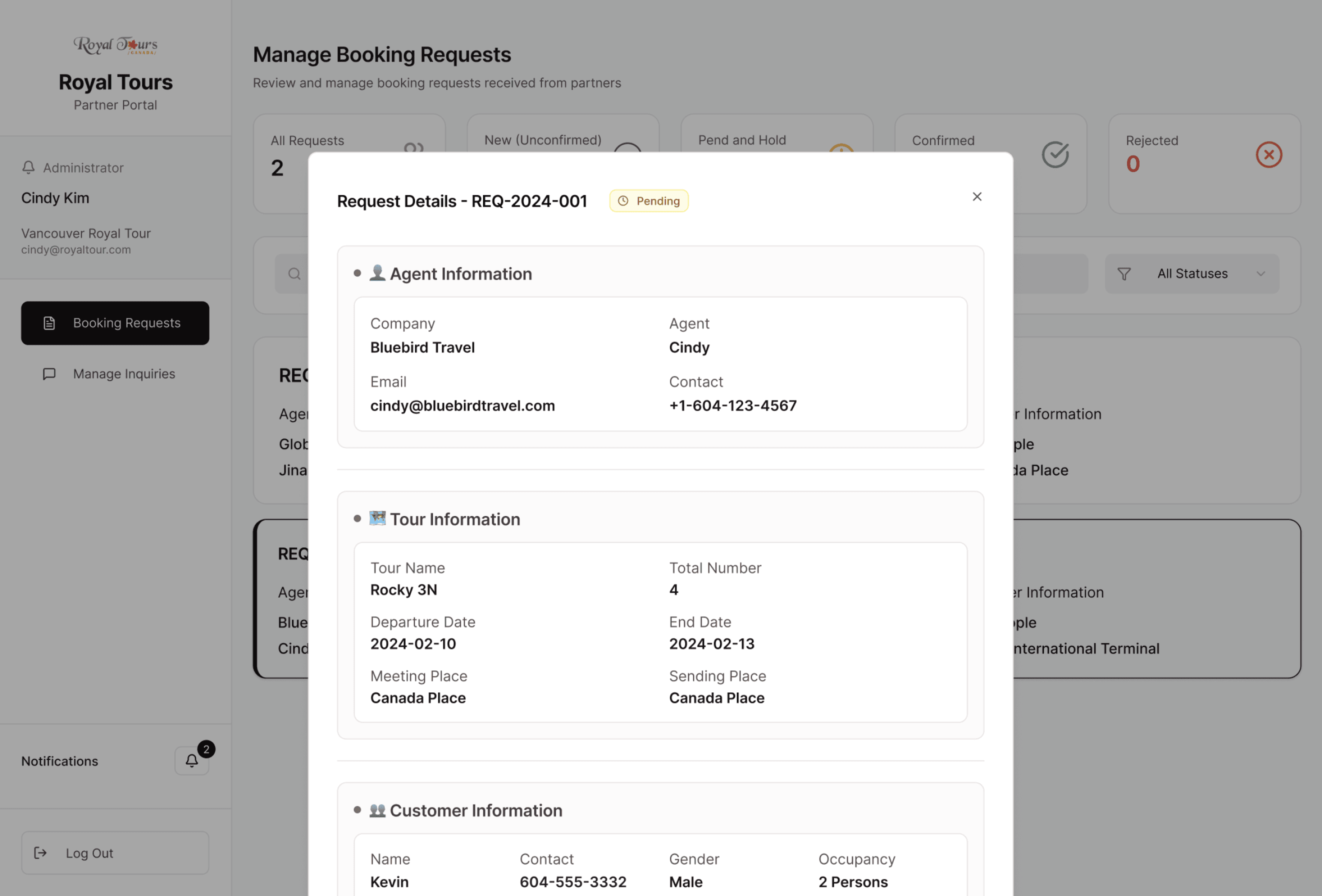
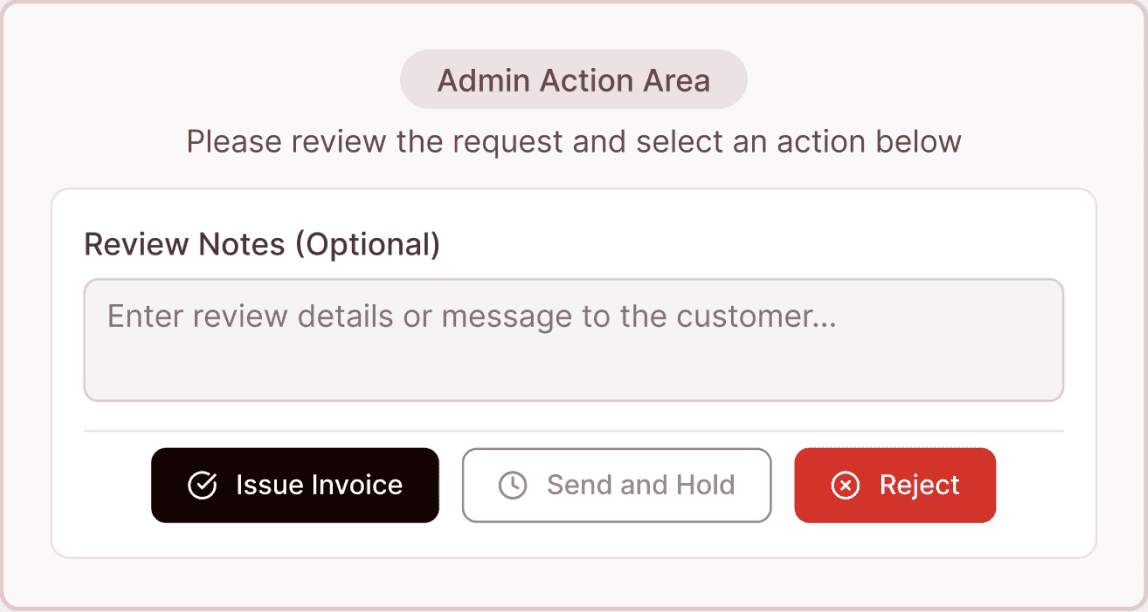
Added “Pend & Send” Action to Support Real Workflows
BEFORE
AFTER
Why this change?
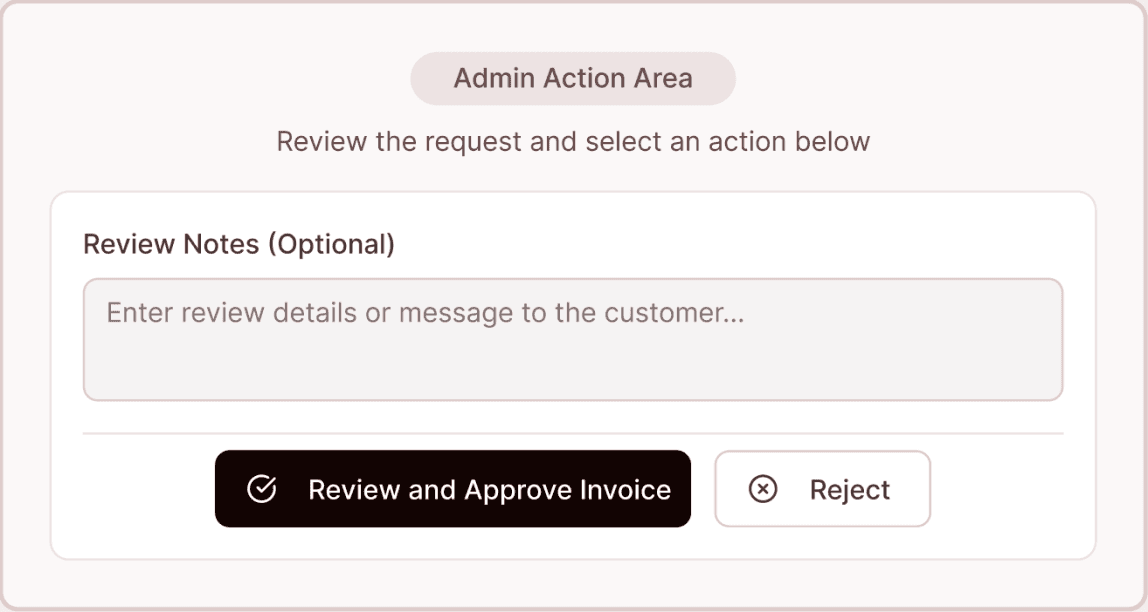
Users needed to ask for clarification before approving, but had no way to communicate and hold the request.
What changed?
Added “Pend & Send” button so users can request info and pause the request without rejecting it.
Final Design Snapshot
Royal Tours Partner Portal
Following usability testing and iterations, the final designs focused on reducing ambiguity, improving request quality, and simplifying internal operations.
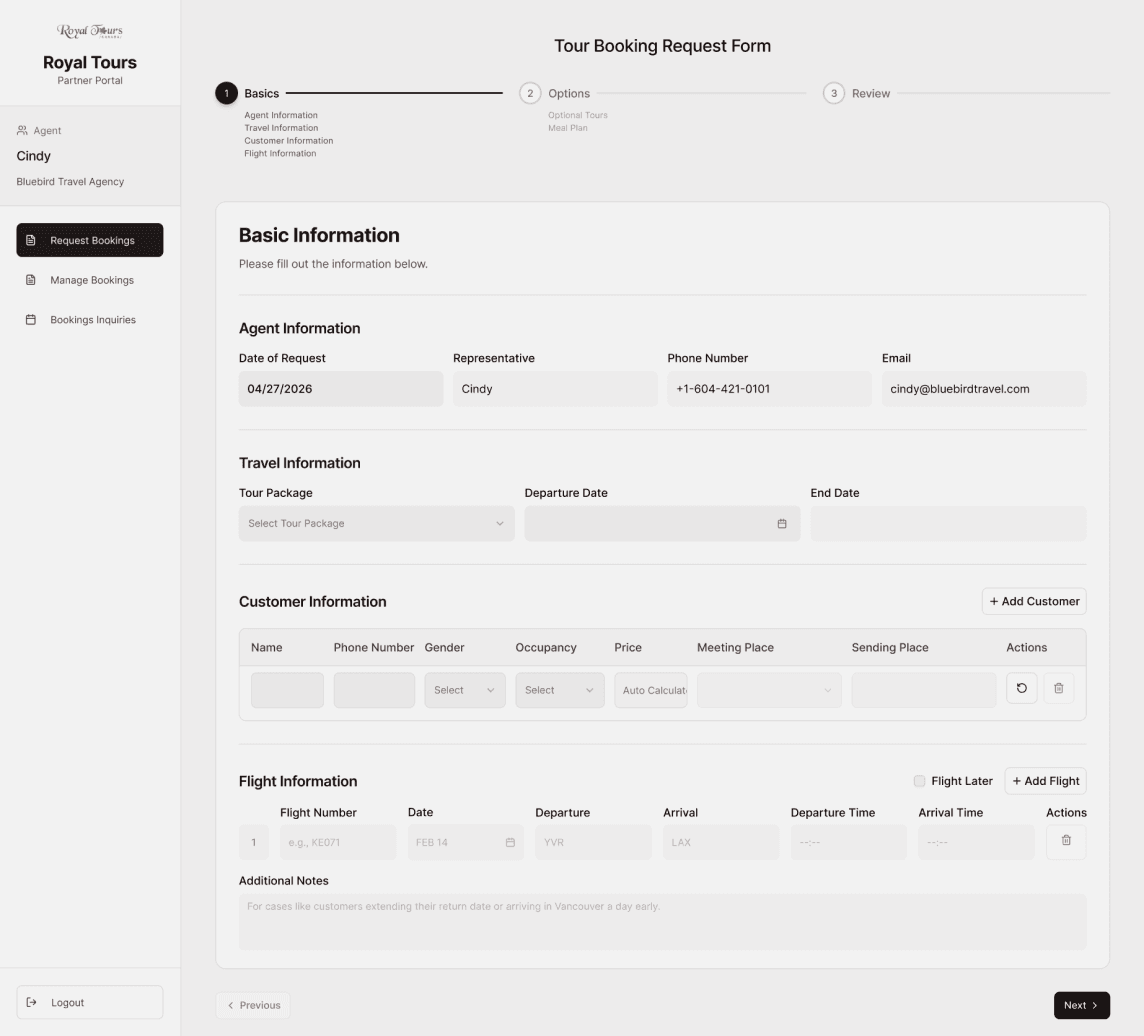
End-to-end flows
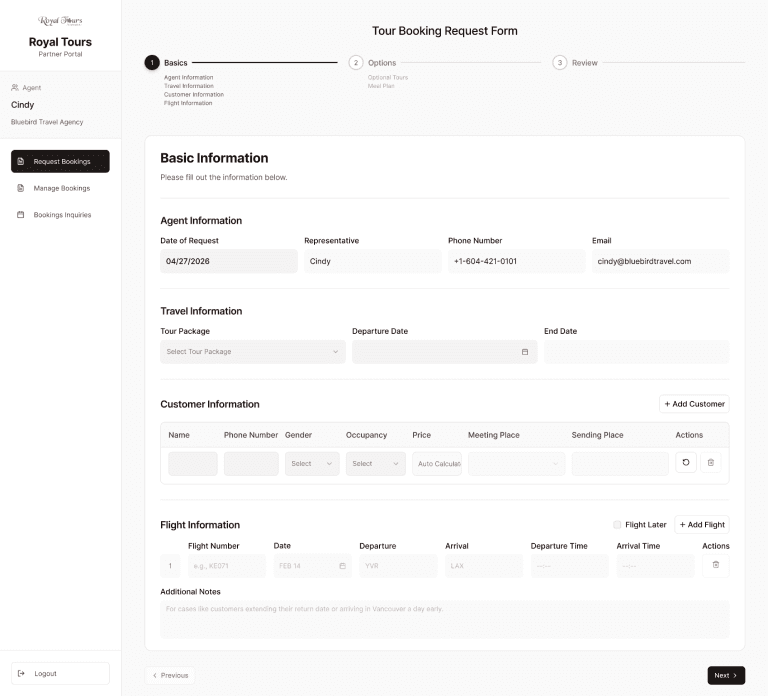
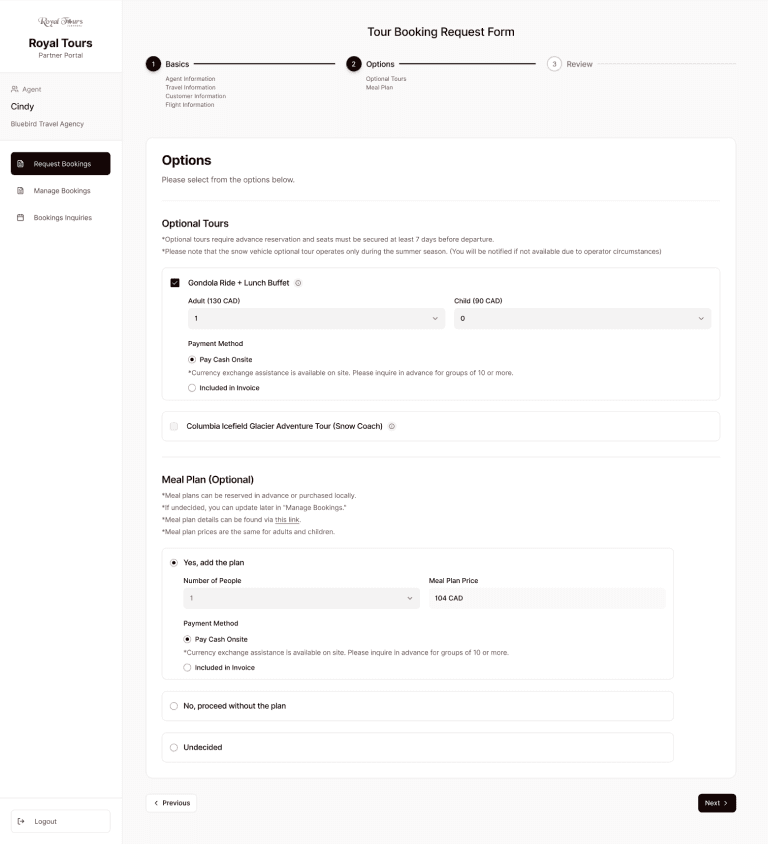
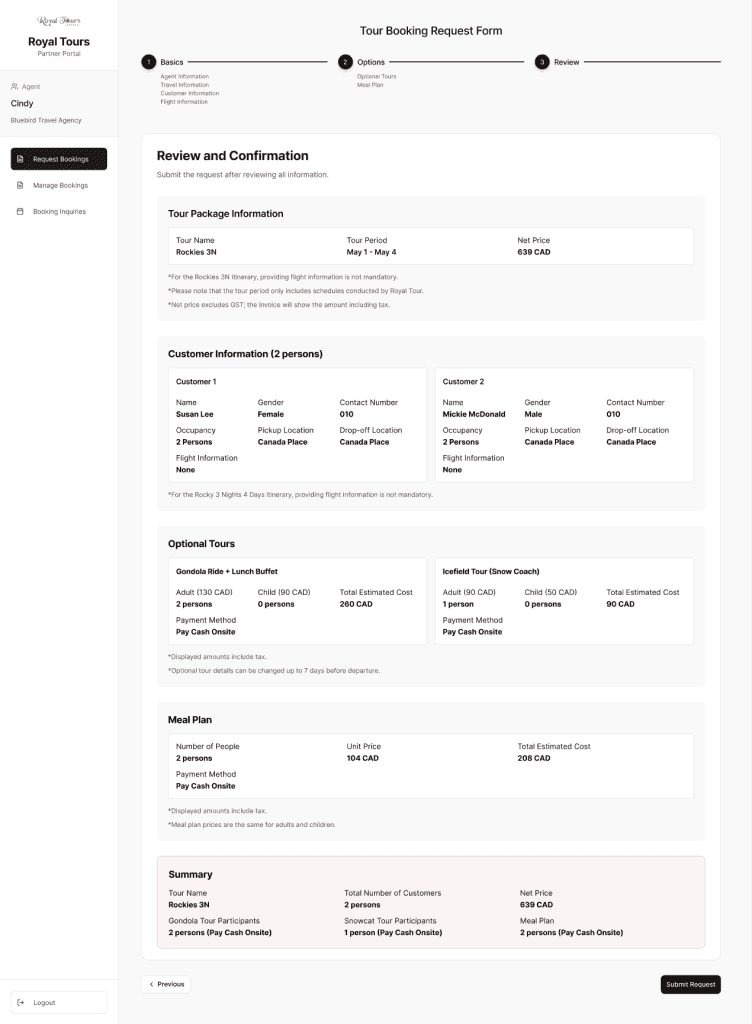
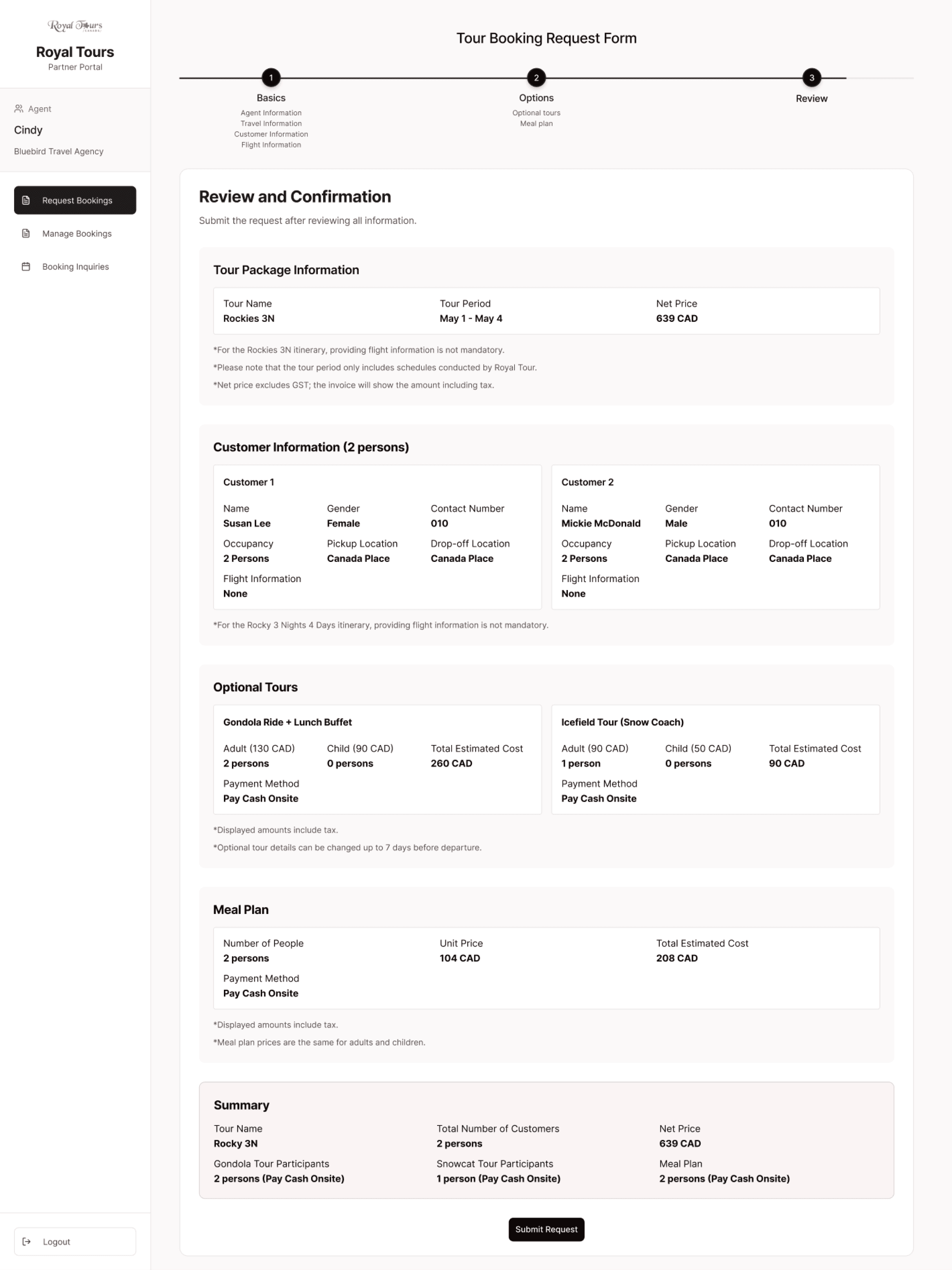
Request via booking form
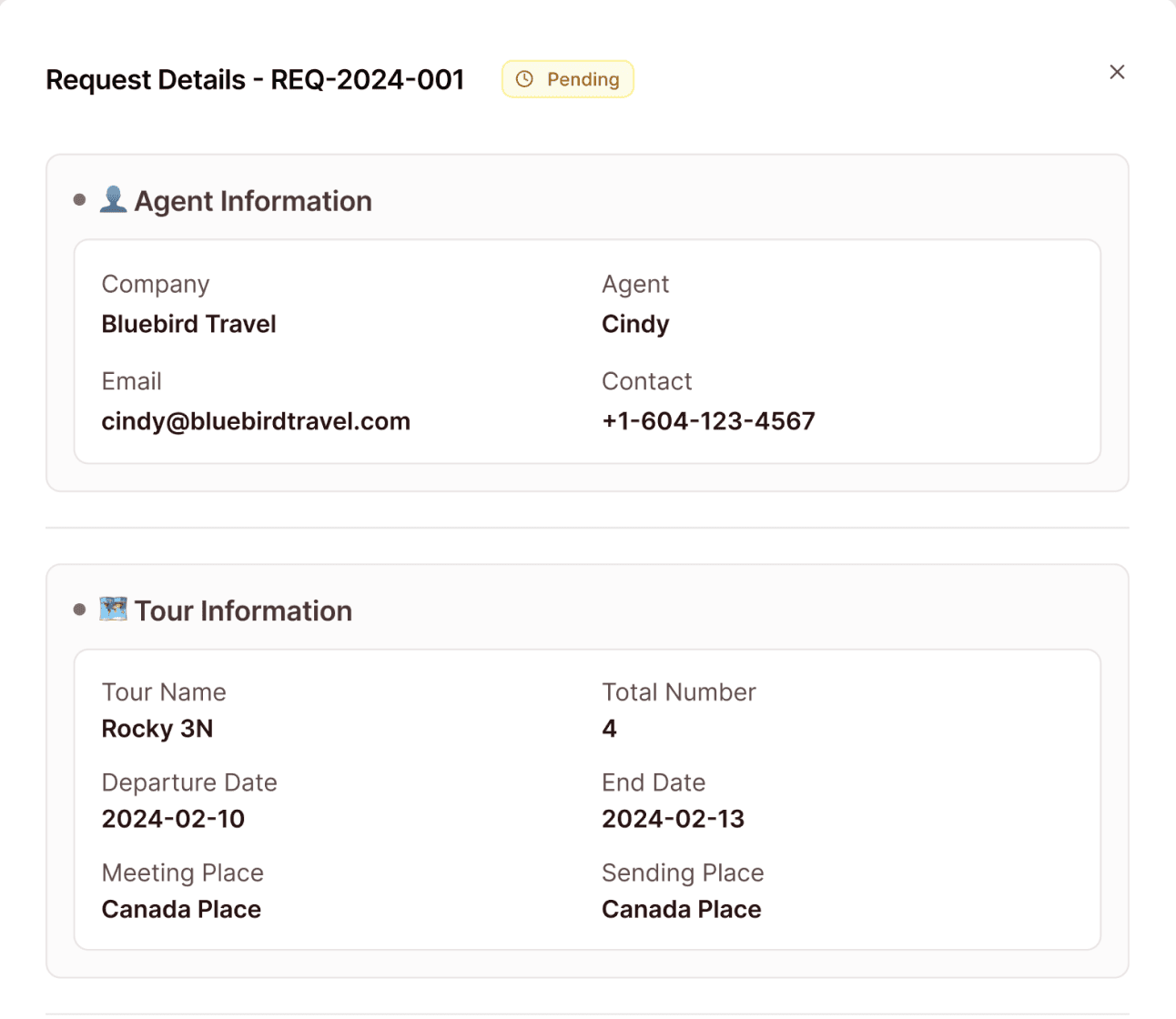
Review Request via Dashboard
Automate Invoice
Confirm Request
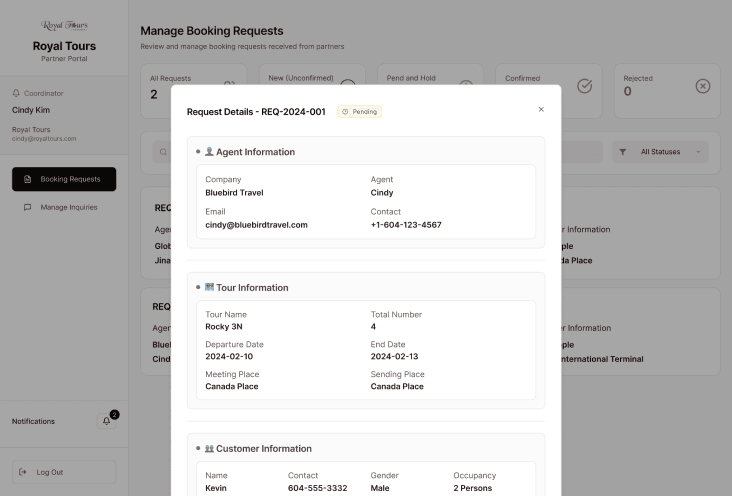
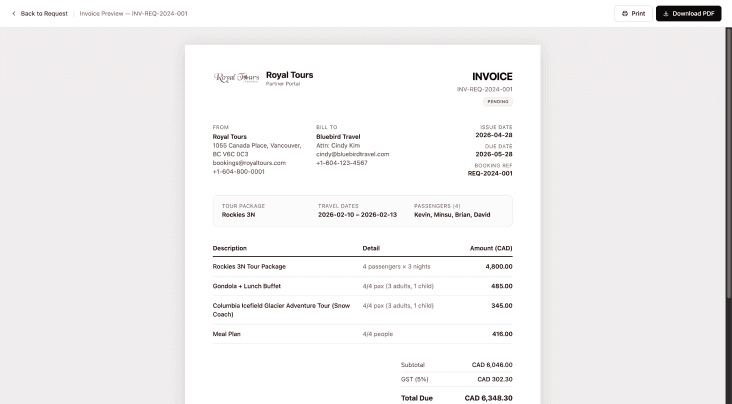
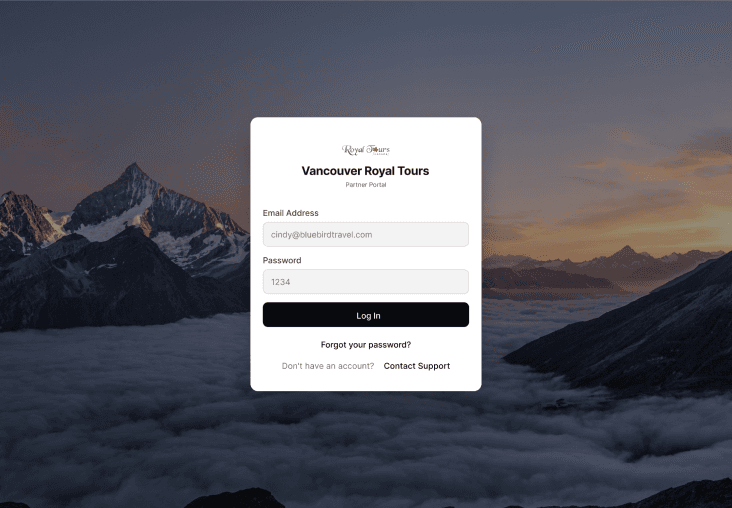
Partner-facing: Sending a Request
Internal-facing: Review and Confirming a Request
Send
Key Design Decisions
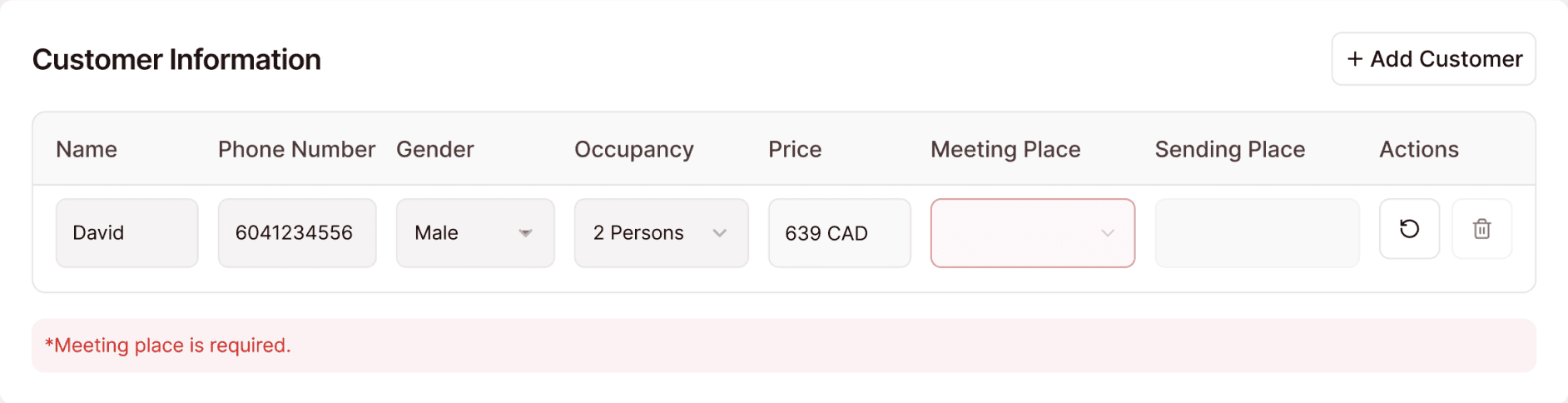
Inline validation catches missing information before submission.
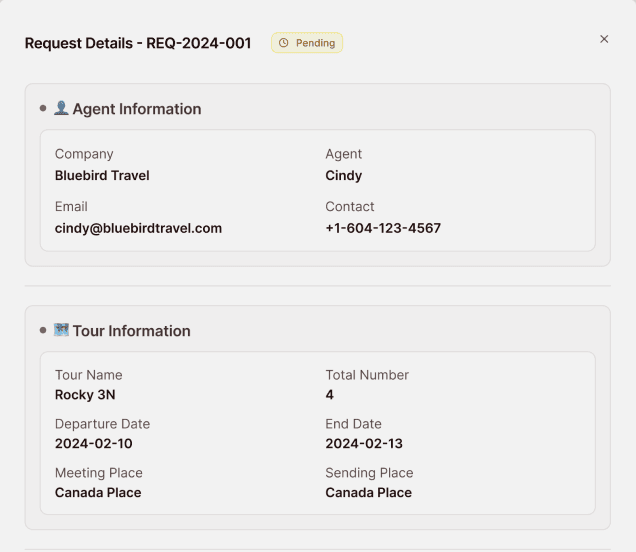
Convert requests into a single structured layout optimized for scanning.
Standardized labels replaced ambiguous terminology.
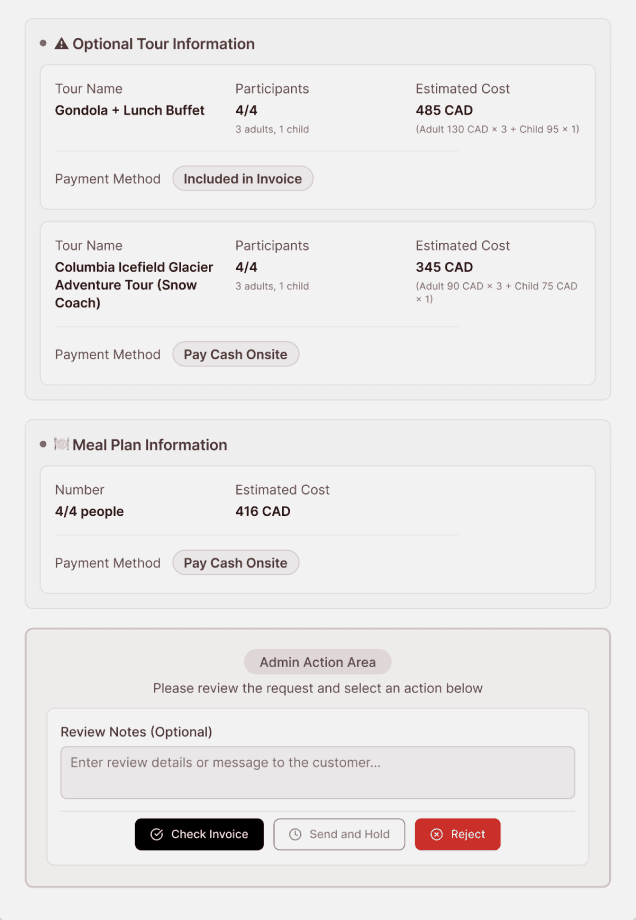
Invoice information auto-populates using request and partner data.
Preventing Missing Information
Standardized Request Review
Removing Payment Vocabulary Confusion
Automating Invoice Creation
Pilot Validation
What the MVP Proved
To sum up, here's what the MVP proved to show: We saw a significant reduction in cycle duration and manual effort. Below is the breakdown.
What improved
70% faster cycle time
Fewer clarification emails
Reduced cognitive load
Structured inputs and centralized workflows reduced booking processing time from ~15 to ~4 minutes by eliminating manual interpretation and unnecessary steps.
~15 min
per booking
Multiple systems, manual interpretation, and re-entry
~4 min
per booking
Structured input, streamlined flow, fewer muanl steps
Before (current workflow)
After (MVP workflow)
Implementation Realities
What Implement Required
While the product improved workflow efficiency, successful implementation would still require technical integration and organizational adoption.
ERP Integration Dependency
The workflow depended on ERP integration to operationalize booking synchronization and validation.
Partner Onboarding & Adoption
Adoption required both internal teams and partner agencies to transition from manual workflows to a more structured operational process.
Takeaways and Learnings
What I learned from This Project
This project definitely felt unlike any other projects. To wrap up, here are some of my takeaways and learnings.
Adoption is a product challenge
Usability alone isn't enough. Change management and trust matter just as much.
Think beyond the interface
Successful products solve user problems and fit within the organizational context.
FINAL CONCLUSION
Designing operational products requires more than usability — it requires alignment with real organizational workflows, systems, and adoption realities.